
AI character workflow guide
Best AI Tools for Consistent Characters in 2026
The best AI tool for consistent characters depends on whether you need quick turnaround views, flexible scene creation, stylized key art or a repeatable production pipeline. This guide compares six practical options using their documented reference-image workflows.
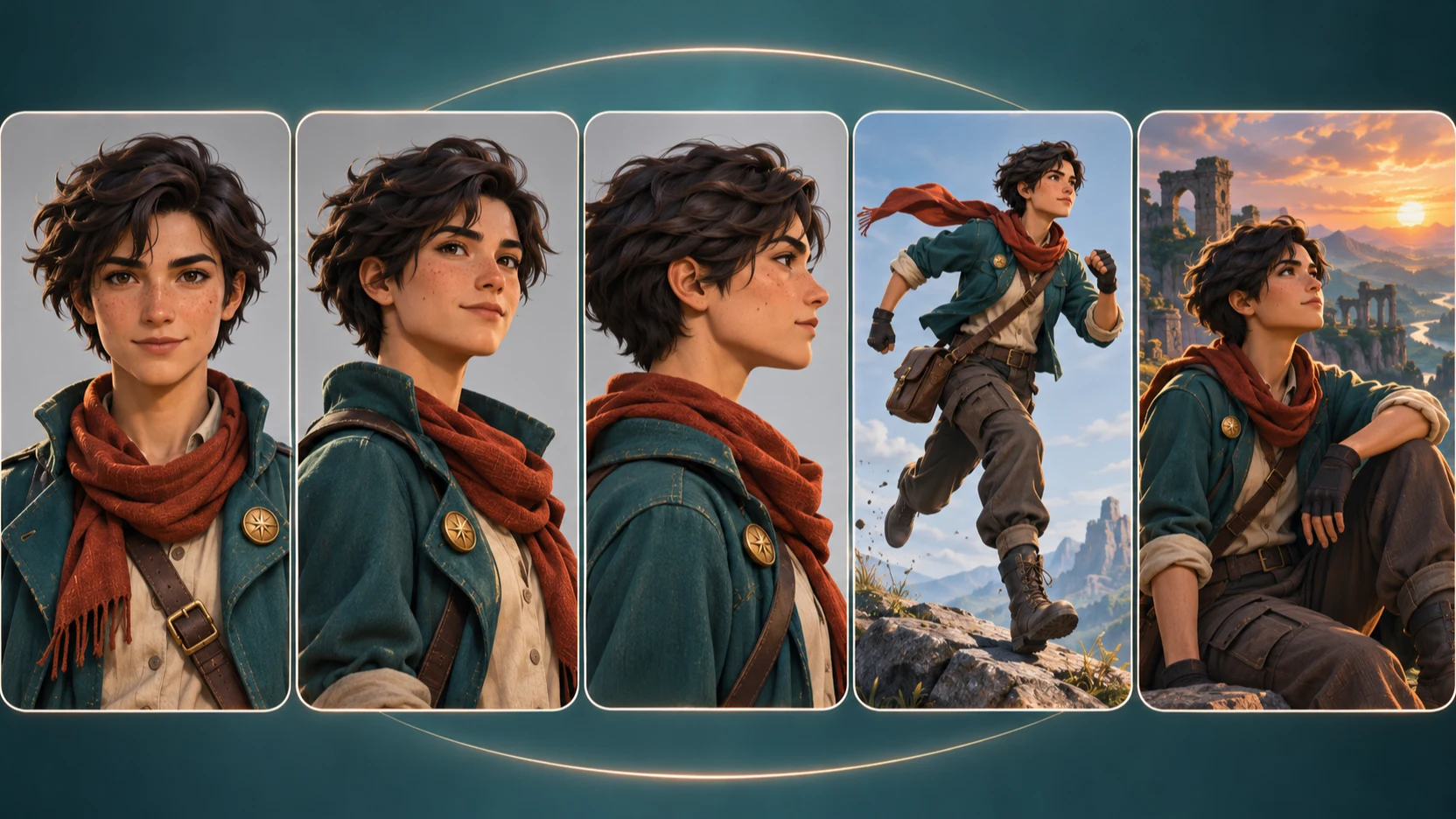
Quick answer: which consistent character AI tool should you choose?
Choose Hocha when you want to upload one character and quickly generate front, side, back, expression, action and custom views without training a model. Choose Runway Gen-4 References when the character must move through different scenes and you want reference tagging or sketch-based composition. Choose FLUX.2 for multi-reference editing, API integration or a production pipeline. Choose Midjourney when art direction and stylized image quality matter more than a deterministic turnaround workflow. Choose Leonardo.Ai when you need several guidance modes, including pose, depth and sketch. Choose Adobe Firefly when style, composition and Adobe editing integration are central to the job. No tool guarantees perfect continuity, so keep an approved reference set and review recurring details manually.
Consistent character AI tools compared
This table compares workflow design rather than declaring a universal winner. Reference limits and available controls can change by model, plan and product version, so check the linked documentation before committing to a large project.
| Tool | Best for | Reference input | Practical control | Setup |
|---|---|---|---|---|
| Hocha | Fast multi-angle views from one reference | One character reference | Preset angles, expressions, poses and custom shots | No training; free trial without login |
| Runway Gen-4 References | Characters placed into new scenes | Up to three active references | Prompts, saved references and sketch composition | Browser workflow; no model training required |
| FLUX.2 | Multi-reference production and API workflows | Up to 8 by API or 10 in supported playground flows | Natural-language editing and explicit image indexing | Playground, API or licensed self-hosting |
| Midjourney | Art-directed and stylized images | One Omni Reference in V7; Edit Model differs in V8.x | Reference weight, style references and image editing | Web or Discord workflow depending on feature |
| Leonardo.Ai | Layered guidance and pose controls | Varies by model and guidance mode | Character, style, content, depth, edge, sketch and pose | Browser interface with model-specific controls |
| Adobe Firefly | Style, composition and Creative Cloud workflows | Style and composition references | Reference strength plus Adobe editing tools | Browser and Creative Cloud workflow |
How this comparison was prepared
This is a documentation-based buyer's guide, not a controlled image-quality benchmark. We compared the public workflows described by each provider on November 8, 2026: reference inputs, pose and composition controls, training requirements, production options and licensing paths. Image quality varies by subject, prompt, model version and reference quality. A side-by-side benchmark should use the same source character, prompts, output count and scoring rubric for every tool.
The best AI character consistency tools by workflow
1. Hocha: best for multi-angle views from one reference
Hocha focuses on a direct task: upload one character, choose the views you need and generate them as separate outputs. Available shots include front, side, back, three-quarter, expression close-ups, action poses and custom descriptions. It is a practical starting point for turnarounds, comics, game concepts, storyboards and reusable reference packs.
This is a generation workflow, not a guarantee of model-sheet precision. Small details can drift when the source hides clothing or body details. Review faces, hands, logos, accessories and costume motifs before approving an output. Hocha offers a free trial without login; review the current license and terms for commercial work.
2. Runway Gen-4 Image References: best for scene-driven characters
Runway documents up to three active references in one generation. References can represent a character, object, environment or visual treatment, and saved references can be named for reuse. Sketches can guide composition, gaze and object placement, making Runway useful when a character must appear in substantially different locations.
3. FLUX.2: best for multi-reference and API production
FLUX.2 fits workflows that combine separate inputs for a person, clothing, props and environments. Black Forest Labs documents up to eight images through the FLUX.2 Pro API and up to ten in supported playground workflows. Inputs can be described naturally or addressed by image number, which is useful for repeatable production systems.
4. Midjourney: best for stylized character key art
Midjourney is compelling when visual direction is the priority. V7 Omni Reference accepts one reference and includes a weight control. Current documentation directs V8.x users to the Edit Model, which uses a different workflow. Expect iteration when exact costume geometry or small recurring details matter.
5. Leonardo.Ai: best for layered pose and structure guidance
Leonardo.Ai offers character, style, content, depth, edge, sketch and pose guidance. Availability varies by model and interface mode. This helps when identity is only one constraint and the shot also needs a particular skeleton, silhouette or composition, though the added options require more experimentation.
6. Adobe Firefly: best for style, composition and Adobe workflows
Firefly is useful for carrying a visual treatment or composition into new variations. Adobe documents separate style and composition references with strength controls. This differs from a dedicated identity lock, so Firefly is a better fit when brand style, layout and Photoshop finishing matter alongside continuity.
How to choose the right consistent character generator
For a turnaround or expression sheet from one image, start with Hocha.
For a character moving through many scenes, consider Runway.
For an API, automation or several references, consider FLUX.2.
For stylized key art, consider Midjourney.
For pose, edge, depth and sketch controls, consider Leonardo.Ai.
For style, composition and Creative Cloud finishing, consider Adobe Firefly.
A workflow that improves AI character consistency in any tool
- 1
Start with a clean reference
Use a sharp, evenly lit image with one visible character. Avoid cropped clothing, hidden hands and contradictory accessories.
- 2
Write down invariant details
Record face shape, eye color, hairstyle, clothing colors, materials, proportions and recurring props.
- 3
Build an approved reference pack
Generate front, three-quarter, profile and full-body views. Correct mistakes before making them permanent anchors.
- 4
Return to canonical references
Do not endlessly feed each output into the next generation. That compounds identity and costume drift.
- 5
Separate identity, pose and environment
When supported, use distinct references for identity, clothing or props, and composition.
- 6
Finish recurring details manually
Inspect hands, jewelry, costume patterns, text and props. Save the model, version, prompt and references.
Check commercial rights, privacy and reference ownership
Permission to use an output commercially is separate from permission to upload the reference. Use images you own or are authorized to use, and obtain consent for recognizable people. Terms, plan requirements, privacy settings and model licenses can change. Review current provider terms and confirm how sensitive references are processed before publishing commercial work.
Frequently asked questions
What is the easiest AI tool for making the same character from one image?
Hocha is designed for this workflow: upload one reference, select angles, expressions, poses or custom views, and generate without LoRA training. Results still need review because no model preserves every detail perfectly.
Do I need to train a LoRA for a consistent AI character?
Not for many short projects. Reference-based tools can cover turnarounds, concept art and limited scene sets. Fine-tuning becomes more attractive for repeated, high-volume or automated generation.
Can an AI character stay identical in every image?
Not reliably. References reduce drift, but faces, hands, accessories, clothing patterns and proportions can still change. Use a canonical reference pack and human review.
Which tool is best for multiple character references?
FLUX.2 is suited to multi-reference workflows with up to eight sources in its documented Pro API and up to ten in supported playground flows. Runway supports up to three active Gen-4 References.
Can I use an AI-generated character commercially?
It depends on the tool, plan, model license, reference ownership and local law. Review current terms and ensure you have permission to use every uploaded reference.
Conclusion
The best AI tool for consistent characters is the one that matches your repeatable workflow. Hocha is a focused choice for turning one reference into multiple angles, expressions and poses. Runway and FLUX.2 offer broader scene or production controls, while Midjourney, Leonardo.Ai and Adobe Firefly serve different creative priorities. Preserve a canonical reference pack and inspect every final asset.